Creating Payment Providers
Follow these steps to create and add a new payment provider to the payment providers list.
| 1. | From the Providers tab, select Payment Providers. |
| 2. | Click Create Payment Provider. |
This will bring up the New Payment Provider Information dialog box.
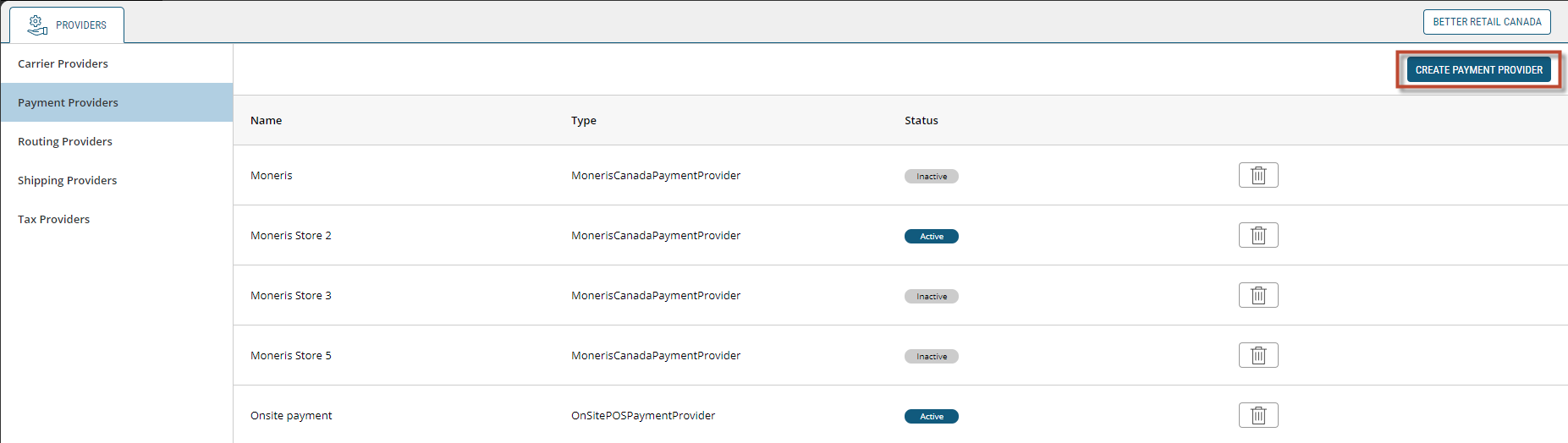
Figure 1 - Create Payment Provider button
A provider ID number will automatically be assigned to the new payment provider. That number appears at the top of the Provider Information dialog box.
| 1. | Enter the Provider Name and select the Provider Type from the drop-down menu (both are mandatory fields marked with a red asterisk). |
| 2. | Enter a provider Description if that information is available. |
| 3. | Select a Display Language from the drop-down menu and enter a Display Name. |
| 4. | Click Save. |
The new payment provider is added to the list.
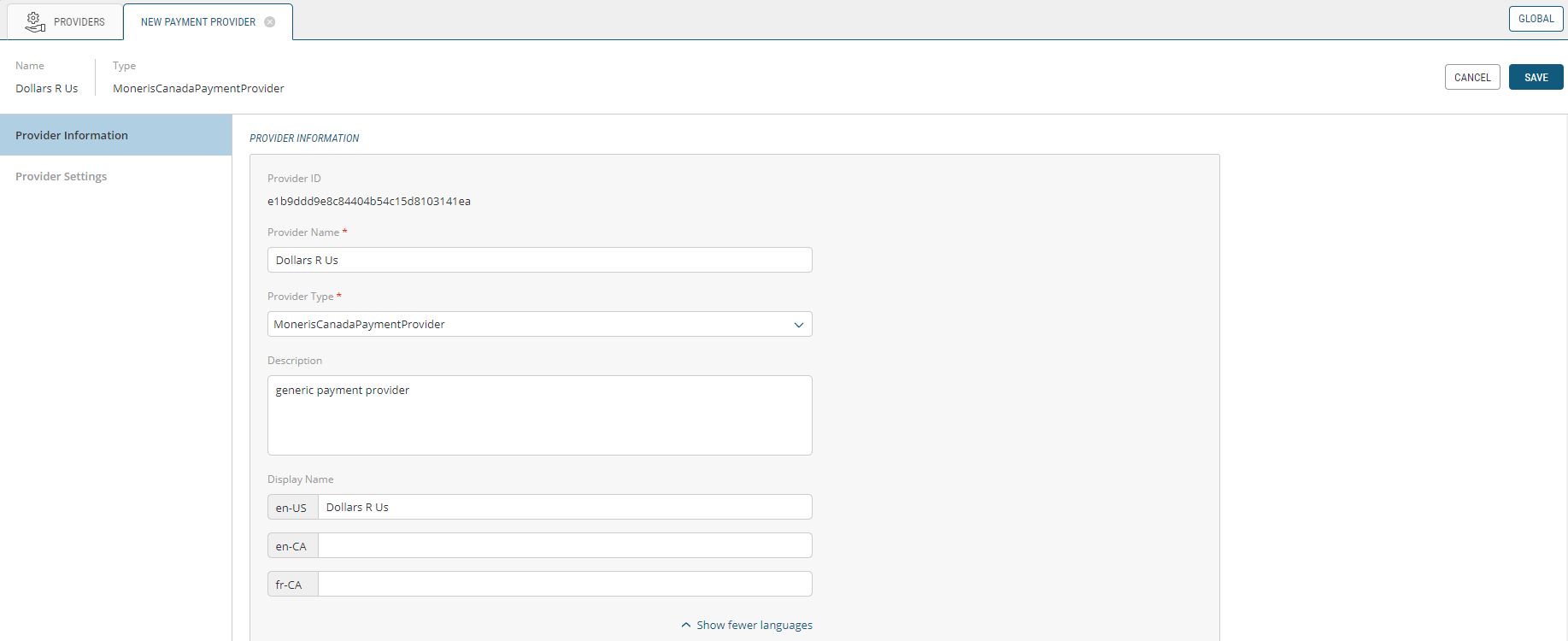
Figure 2 - New Payment Provider Information dialog box
REFERENCES
| • | Managing Payment Providers |
| • | Modifying Payment Providers |